Registering your keys online
After generating a participation key, you can press R to start registering it on the Algorand network.
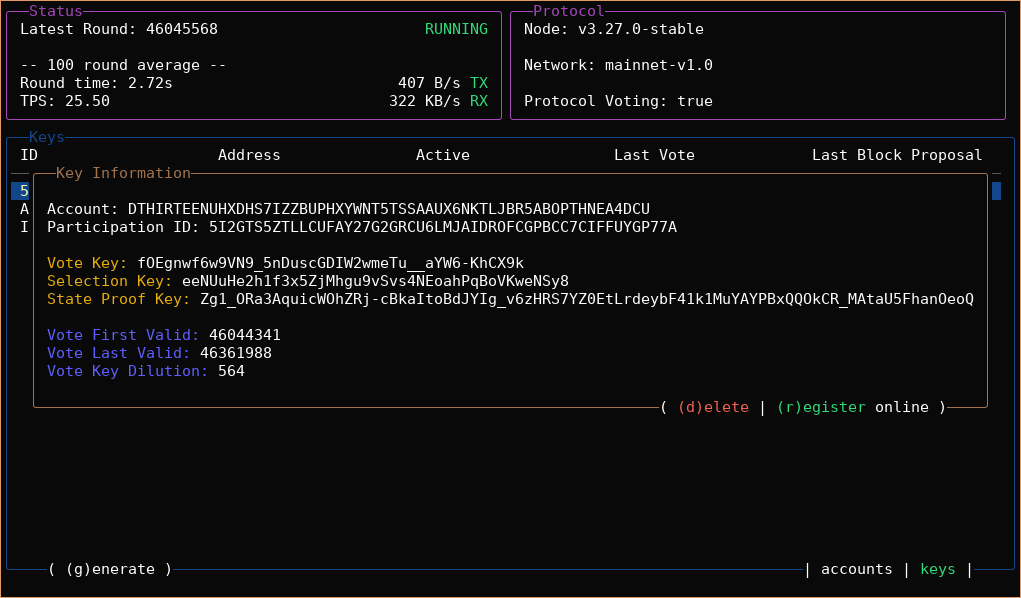
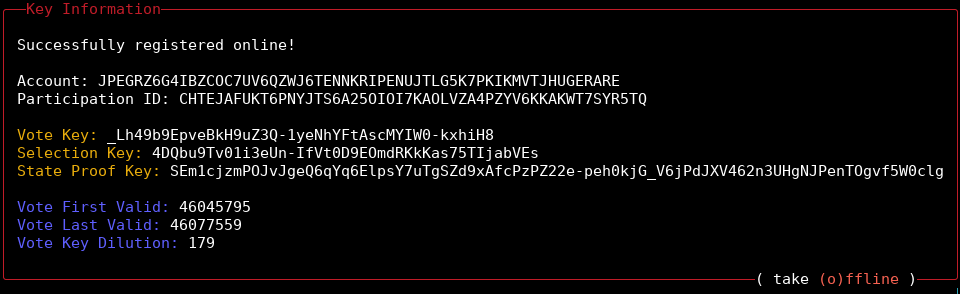
You can also start this flow by pressing R on the key information screen shown below.
After you press R, you will see a link that you can follow to sign your key registration transaction:
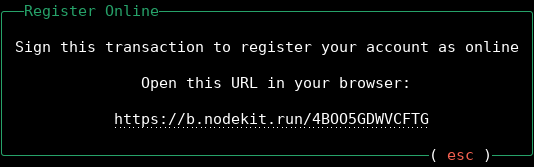
On most terminals, you can hold down Ctrl and click the link, which will open it in your default browser. If this does not work, copy the link and paste it into your browser.
You will be taken to the Lora Transaction Wizard, where you should see the key information pre-filled:
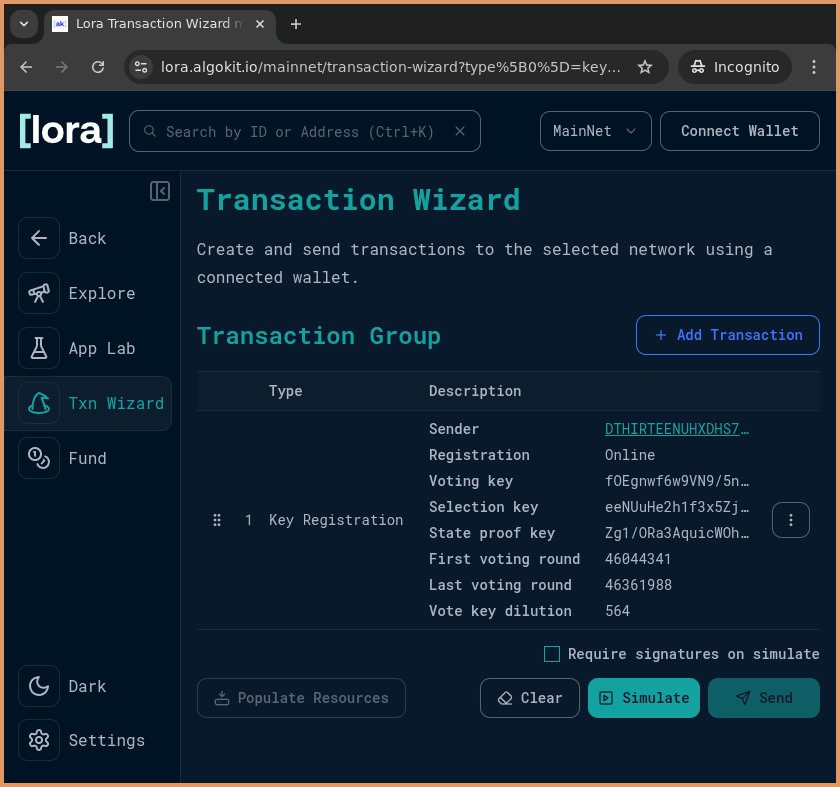
Next you need to:
-
Select
Connect Walleton the top right and connect your wallet. -
Cick the
Sendbutton on the bottom right. Your wallet should prompt you to sign the key registration transaction -
Sign the transaction
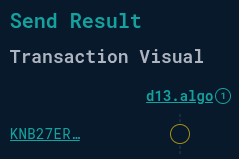
The transaction will be submitted to the network. If it is accepted, you will see a visual confirmation in Lora similar to the one displayed below:
NodeKit will detect the key registration and take you back to the Key information view:
You can press ESC twice to get back to the home screen.
To confirm that your account is online, review the STATUS of your account. Accounts with an ONLINE status are participating in consensus.
That’s it! If your account balance is over 30,000 ALGO, it will accumulate rewards for each block it proposes on the Algorand network.